
Plan Wi-Fi around the building and the work being done. A site assessment, suitable access point placement and testing with real business devices are more useful than choosing equipment by headline speed alone.
Is the problem Wi-Fi coverage or the connection behind it?
Start by describing the failure. Does a video call drop in one meeting room, does every device slow down at lunchtime, or does the whole business lose internet access at the same time? Those patterns help narrow the investigation before equipment is added.
| What you notice | What to investigate | Useful information to collect |
|---|---|---|
| One room has poor service. | Coverage, obstructions and access point placement. | The location, affected devices and where the connection improves. |
| Strong signal, but work still stalls. | Congestion, interference, the wired network or internet service. | Busy times, the applications affected and whether wired devices also struggle. |
| A call drops while someone moves. | Coverage between areas and device behavior. | The route taken, device type and where the interruption occurs. |
These observations are a starting point, not a diagnosis. Share them with the person assessing the network so the investigation can focus on the actual problem.
Map coverage and busy areas before placing access points
A floor plan helps identify desks, meeting rooms, reception, stock areas and other spaces that need a connection. Walls, building materials and equipment can affect the signal. Note any planned layout changes as well as today’s problem spots.
Capacity matters alongside coverage. A room full of people on calls can put different demands on Wi-Fi from a quiet corridor. Record the devices used during busy periods, including phones, laptops, tablets and any operational equipment that depends on the network.
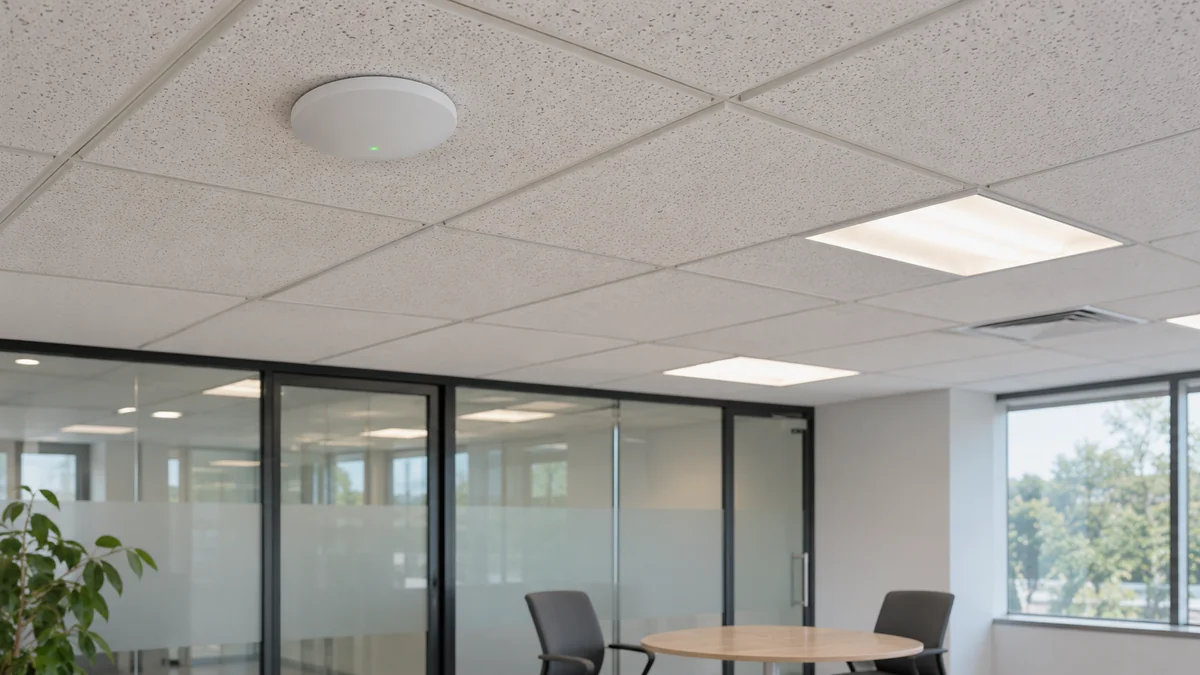
Access point positions, channels and power settings need to work together. More units or a higher transmit setting do not automatically improve service. Review the environment and test the proposed coverage rather than treating an equipment count as a design.
Check cabling, switches and power
Each access point needs a dependable connection to the rest of the network. For a new office or a refurbishment, coordinate cable routes and access point locations before finishing work makes them harder to reach.
Ask the installer to check existing cable condition, switch connections and power requirements. Where access points use Power over Ethernet, confirm compatibility and the available power budget. Agree what happens to essential equipment during a short power interruption.
Wireless links between access points can be useful where cabling is impractical, but they have performance trade-offs. Discuss the reason for each wireless backhaul link and the expected result under normal business use. Cameras may need their own network planning too; see the commercial security camera installation checklist when both projects share infrastructure.
Plan guest access and day-to-day management
Decide what visitors need and which business resources they should not reach. Ask the installer to explain how guest connectivity is separated from staff and operational systems in the proposed design. A different network name alone does not explain the access controls behind it.
Name the people who will manage the system, receive fault reports and approve changes. Keep records of equipment locations and administrator access. If the building has electronic entry equipment, coordinate responsibilities with the door access control administration plan.
Be clear about ongoing support. Ask what is included, who applies necessary updates and whether monitoring, software or support involves a recurring charge.
What affects business Wi-Fi installation cost?
The right budget depends on the site and the intended use. Compare proposals against a common brief, including the areas to cover, the devices to support and the installation work needed.
- Assessment and design: floor plans, existing network checks and the level of survey work required.
- Coverage and capacity: the layout, busy areas and suitable access point positions.
- Infrastructure: cable runs, switch capacity, power and equipment space.
- Installation: access restrictions, working hours and the need to keep the business operating.
- Handover: configuration records, testing, training and ongoing support.
Ask which parts of the existing installation can be reused and what limits they may introduce. Avoid comparing hardware prices while leaving the wiring, setup and support out of the decision.
Test the finished network with the work that matters
Agree acceptance checks before installation. Test the applications and devices used in the spaces that prompted the project, not just a speed test beside an access point. Include the meeting room, any problem areas and the routes used by mobile staff.
Confirm guest access behaves as intended, document the installed equipment and record any unresolved issue. A named administrator should know how to report a fault and where to find the configuration records.
Oyster Digital is a Colorado-based security and technology business offering wireless networks, fiber, structured cabling and rack-to-jack installation. Send your location, floor plan and Wi-Fi requirements or call 303.765.4508 to discuss the next step.
Common questions
Why is business Wi-Fi slow even when the signal looks strong?
Signal strength is only one part of performance. Congestion, interference, device capabilities, the wired network and the internet connection can all affect the result. Compare the problem across locations, times and devices before deciding on an upgrade.
Will adding another access point fix a dead zone?
It may help, but placement, cabling and configuration need to be considered together. Review the affected area and the existing network so a new access point does not simply add interference or move the problem elsewhere.
Can existing office cabling be reused for new Wi-Fi?
Possibly. Check the cable condition, connection performance, switch capacity and power requirements against the proposed equipment. An assessment should establish which existing parts are suitable.
What information helps when asking for a business Wi-Fi quote?
Send the property location, a floor plan, the areas that need coverage, an approximate busy-period device count and details of the work affected. Include any known cabling or equipment and planned changes to the layout.
Further reading
Manufacturer guidance for the technical topics in this article:
Share your property location, existing equipment and what needs to work better.
Contact Oyster Digital