
For a commercial security camera installation, define the purpose of each view, check it in changing light, agree how recordings will be kept and test playback before handover.
What should a business camera system include?
A complete installation needs more than cameras on a building. The scope should explain the views being provided, how footage is recorded, how the equipment connects and who will manage it. Ask for those items in writing so that quotes can be compared against the same requirements.
For a Colorado office, shop or commercial property, start with a short site brief: the location, opening hours, priority entrances, existing equipment and the problem you want to solve. Oyster Digital is a Colorado-based security and technology company that supplies, installs and services camera systems, including systems installed by others.
- A coverage plan identifying what each camera is intended to show.
- Recording equipment or a recording service, with an agreed retention requirement.
- Cabling, network connections and power included in the installation scope.
- Access for the people who need to view, search and export footage.
- A handover and a clear route for reporting a fault.
Match camera coverage to the task
Start with the question a recording must answer. A wide view of a yard can help explain the sequence of an event. A view intended to show detail at a doorway needs a different position and field of view. Adding megapixels alone does not settle that choice.
| Area | Useful question | Check on site |
|---|---|---|
| Main entrance | Can the recording show a person entering? | Viewing angle, doorway detail and bright light behind the subject. |
| Parking or loading area | Can you follow activity across the area? | Obstructions, vehicle movement and lighting after closing. |
| Stock or equipment room | Can you see activity at the access point? | Shelving, changing layouts and an appropriate mounting position. |
These are planning examples, not a layout recommendation for every property. Walk the actual space with the installer and agree which views matter most.
Check lighting and outdoor exposure
A clear daytime image does not establish how useful a camera will be after dark. Check bright entrances, reflections, shadows and the lighting available when the business is closed. If identifying detail matters, ask to see a recording under comparable conditions.
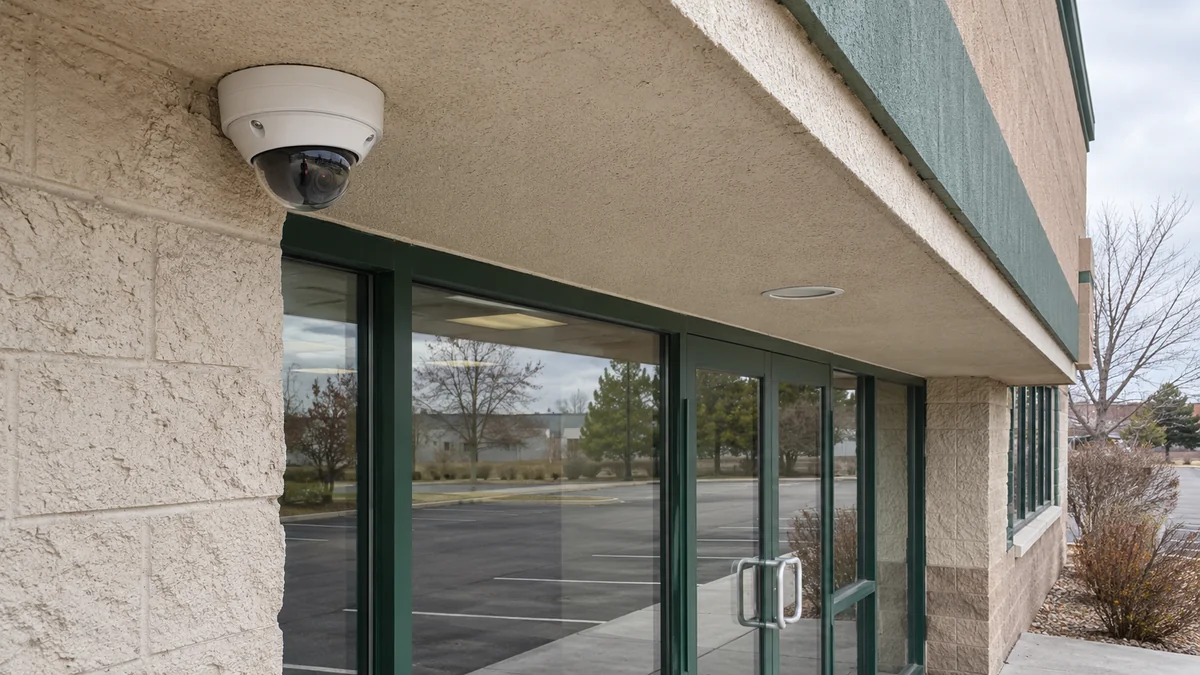
Outdoor equipment also needs to suit its mounting location and the manufacturer’s operating conditions. For an exposed Colorado installation, ask the installer to review temperature limits, weather exposure and whether snow, landscaping or seasonal lighting changes could obstruct the view. Do not assume that a camera suitable for an indoor lobby is suitable under every exterior canopy.
Agree recording, access and everyday use
Choose a retention requirement around the business’s needs rather than accepting an unexplained number of days. Camera count, recording settings, activity and storage capacity all affect the result. Ask how the proposed storage has been sized and what happens when it fills.
Then walk through a practical task: find a clip from a known time, play it back and export it. Decide who needs viewing access and who can change settings. Account ownership, remote access and the process for removing a former employee’s access should be part of handover.
For a connected property, coordinate the camera network with the business Wi-Fi and wired network plan. A recording problem can come from a connection or power issue as well as the camera itself.
What affects commercial camera installation cost?
There is no reliable flat price without a scope and a site assessment. The equipment is only one part of the total. A useful quote separates the installation work, recording arrangement and any recurring charges.
- Coverage: how many useful views are required and the detail expected in each.
- Installation access: mounting height, cable routes and the work needed to reach each position.
- Infrastructure: existing cable condition, switching, power and recording space.
- Recording: retention requirements and any software, cloud or subscription charges.
- Handover and support: training, documentation and the support included after installation.
If you already have a system, request an assessment before assuming it all needs replacing. Ask which parts can be retained, what would limit the upgrade and whether retained equipment affects support.
A handover checklist worth keeping
Before accepting the work, compare the installed views with the agreed coverage plan. Save the equipment list and camera labels. Confirm who owns the accounts, where the documentation is stored and who should be contacted if a view disappears.
- Review each priority view with the person who will use the system.
- Demonstrate searching, playback and export on the agreed devices.
- Check the recording schedule and the intended retention arrangement.
- Confirm user permissions and the procedure for changing access.
- Record any remaining work and agree how faults will be reported.
Oyster Digital can discuss a new camera installation or an existing system that needs attention. Send your property location and camera requirements, or call 303.765.4508. For projects involving controlled entrances, our commercial access control guide covers the door side of the plan.
Common questions
How many security cameras does a small business need?
Start with the views and detail the business needs, not a fixed camera package. Entrances, lighting, obstructions and mounting positions determine whether the proposed number gives useful coverage.
Can Oyster Digital help with cameras installed by another company?
Yes. Oyster Digital’s services include maintaining and repairing systems installed by other companies. An assessment can establish the equipment, access and changes needed before an upgrade is proposed.
What should I send when requesting a camera installation quote?
Send the property location, a floor plan or a few site photos, the areas you need to cover and details of any existing cameras or recorder. Note when access is available and whether the business needs to keep operating during the work.
Further reading
Manufacturer guidance for the technical topics in this article:
Share your property location, existing equipment and what needs to work better.
Contact Oyster Digital